

















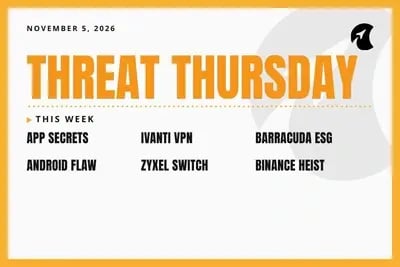
Welcome to Threat Thursday, Galactic’s weekly threat intelligence roundup.
Every Thursday, we cover the cybersecurity stories that matter most for protecting organizations from emerging threats, and we break each one down into what happened, what it could mean for your organization, and what to do about it.
Zyxel patched a flaw in its office network switches in June, and anyone who installed that update had every reason to mark the job done. It turns out the fix never worked, and attackers had taken data from nearly a thousand of those switches by mid-August. Several of this week’s stories follow the same pattern: the work looked finished and the attacker was still in the room.
This Week’s Stories
01. Attackers Use Stolen App Passwords to Slip Into Microsoft Cloud Accounts Unnoticed
Many businesses connect Microsoft 365 and Azure to other software through app connections that sign in on their own, with no person involved, using a password-like credential called a client secret. Security firm Todyl reported on November 3 that an unidentified attacker has been stealing those secrets and signing in as the apps themselves, both to Entra ID, Microsoft’s sign-in service, and to Azure DevOps, a platform developers use to build and ship software. Since November 1, the attacker has reached at least 27 organizations, including customers of IT service providers whose management apps were used. Once inside, the attacker searched shared files and email for more passwords and downloaded documents at about one per second. Todyl hasn’t determined how the first secrets were stolen, and it describes its numbers as a floor.
Potential impact: Multi-factor authentication (MFA), the extra login step many organizations rely on, never applied to these sign-ins. MFA protects people, and these sign-ins came from apps, so they looked like routine automation. App connections also tend to collect broad permissions and long-lived secrets that rarely get reviewed after setup. When one belongs to an IT provider that manages several companies, a single stolen secret can open many doors at once, and this attacker was hunting for the stored passwords that lead to the next door.
What to do: Administrators should review sign-in records for app connections, block the attacker’s address listed in Todyl’s report, and remove the secrets on any app that shows suspicious activity. Changing a secret isn’t enough on its own, since access already granted can keep working for a while, so also end active sessions and rotate passwords stored in any vault the app could read. Over time, replace secrets with sign-in methods that don’t rely on a stored password, and delete app connections nobody uses.
Source: Todyl incident report
02. Attackers Hit Ivanti Remote-Access Systems With Two Flaws October’s Update Didn’t Fix (CVE-2026-111357, CVE-2026-118527)
Ivanti Connect Secure is a remote-access system that lets employees reach company networks from outside the office through a virtual private network (VPN). Three weeks ago we covered an Ivanti flaw attackers were pairing with a second, unpatched one. On October 29, Ivanti fixed that second flaw (CVE-2026-111357) along with a third (CVE-2026-118527), and both were used in attacks before fixes existed, which makes them zero-days. Chained together, the flaws let attackers take full control of the device without logging in. Researchers at Volexity say a group it tracks as UTA0576 started on October 3, stole passwords, and searched for the recovery keys that unlock encrypted company laptops. The mid-October update doesn’t fix the new pair, and the U.S. Cybersecurity and Infrastructure Security Agency (CISA) confirmed both are being exploited on October 30.
Potential impact: Ivanti’s own Integrity Checker Tool, the scan many teams run to confirm a device is clean, didn’t catch this activity. Organizations that patched in October, ran the checker, and moved on may still have an intruder inside. Remote-access systems sit at the edge of the network and handle every remote login, so controlling one hands an attacker a steady supply of credentials. Ivanti’s remote-access products have been a repeat target for several years, and attackers keep finding new ways in.
What to do: Organizations running Connect Secure should upgrade to version 25.1.1.3 or later, or 22.8R2.6 if they can’t move off the older line yet, as an emergency change. Before restarting the device, save its memory and logs so investigators have evidence to work with, then look for the warning signs Volexity published. If anything turns up, follow Ivanti’s recovery steps and change every password and key the device could reach, laptop recovery keys included.
Source: Rapid7 analysis
03. Barracuda Email Filter Flaws Could Let Outsiders Take Full Control Without a Password (CVE-2026-116606, CVE-2026-111560)
Barracuda’s Email Security Gateway (ESG) is an appliance that screens an organization’s incoming email for spam, phishing, and malicious attachments. Barracuda disclosed two flaws, found by Google’s Mandiant team, that together can give an outsider full control of the device. The first (CVE-2026-116606, rated 9.3 out of 10) lets someone restore a specially crafted backup file without logging in, which rewrites the appliance’s settings. The second (CVE-2026-111560) lets an administrator run commands on the device through its timezone setting, and it also affects several other Barracuda products, including its web application firewall and load balancer. Barracuda says an attacker needs to reach the device’s admin page. No attacks or public exploit code have been reported, and the email gateway fix is version 9.4.0.030.
Potential impact: An email filter reads every message coming into an organization, which makes it a valuable place for an attacker who wants to watch conversations, steal attachments, or slip malicious mail past defenses. This same product was the target of a long-running spying campaign that began in 2022, which ended with Barracuda telling customers to replace compromised appliances rather than trust a patch. Nothing points to attacks yet, which makes this a rare chance to patch before the race starts instead of after.
What to do: Organizations using Barracuda appliances should confirm each one runs the latest firmware, including ESG 9.4.0.030 or later, and manually install any update that didn’t apply on its own. Turn automatic updates back on wherever they were switched off. Make the admin page reachable only from trusted internal networks, and review recent setting changes for anything the IT team didn’t make.
Source: SecurityWeek
04. Android Update Fixes a Flaw That Could Let Attackers Take Over Phones Without a Single Tap (CVE-2026-58868)
Google’s November security update for Android fixes 216 flaws, 23 of them rated critical. The most serious, CVE-2026-58868, sits in a core part of Android, and Google says it could let an attacker run their own code on a phone without the owner tapping or opening anything. It affects Android 14 through 17. The same update fixes a bug nicknamed ‘SMS of Death’ (CVE-2026-58882), where one malformed text message, sent to nothing more than a phone number, crashes the phone’s calling service and drops any active call, including emergency calls. A researcher has published working test code for that bug. Google says it hasn’t seen either flaw used in attacks. Phones need a security update date of November 1, 2026 for the main fix and November 5 for the full set.
Potential impact: Phones now hold the keys to most business accounts, from email and shared files to the approval prompts used for MFA, so a takeover that needs no tap is a serious risk. The harder problem is timing. Google publishes the fix, but each phone maker and carrier decides when to send it, and older phones on Android 12 or 13 may never get the text message fix at all. That leaves ‘up to date’ meaning different things on different phones, and many organizations can’t easily see which ones are behind.
What to do: Organizations should check each phone’s Android security update date (in Settings, under About phone) and require November 5, 2026 or later for full coverage. Phones managed through a device management tool can be held to that date before they reach company email or files. Install updates as soon as the phone maker releases them, and start planning replacements for devices that no longer receive security fixes.
Source: The Hacker News
05. Zyxel’s Fix for Its Office Network Switches Never Worked, and Attackers Already Used the Flaw (CVE-2026-107441)
Zyxel’s GS1900 series are network switches, the boxes that connect computers, phones, and printers inside an office, and they’re common in small businesses. In June, Zyxel fixed a flaw (CVE-2026-7273) that lets anyone who can reach the switch’s settings page take full control without a password. Researchers at Binarly have now shown that the June fix never worked, because it checked for the problem one step too late. Zyxel released a corrected update in late October and gave the gap its own identifier, CVE-2026-107441. Separately, threat intelligence firm GreyNoise reported that attackers took data from 996 of these switches around mid-August, and Binarly says the exploit it found matches. More than half of those switches still had their factory-default passwords.
Potential impact: This is the scenario most patch reports can’t catch. Any organization that installed the June update would have marked these switches as fixed, and any scan that only checks for that update would agree. Meanwhile, the attackers copied switch settings and passwords, which stay useful after the patch goes in. A compromised switch sits in the middle of office traffic, and the group behind this activity has been linked to a Chinese-speaking espionage cluster with its own custom backdoor.
What to do: Owners of GS1900 switches should install the October Patch 3 firmware for their exact model, since the June Patch 2 release doesn’t protect them. Keep switch settings pages reachable only from a dedicated management network, and replace any factory-default or shared passwords. Because attackers in this campaign copied passwords and settings, change the credentials stored on any switch that was reachable before the update.
Source: The Hacker News
06. How a Fake Job Interview Led to Binance’s $6.3 Billion Crypto Heist
Binance, the world’s largest cryptocurrency exchange, said on November 3 that the October 29 theft of about $6.3 billion, the largest crypto heist on record, began with a fake job interview. In September, someone posing as a recruiter contacted a Binance software engineer, held two rounds of interviews, then asked him to download a coding ‘assignment’ that secretly took over his work computer. On October 20, the attackers used that computer and an internal AI tool to take over systems used by two engineers on the team that manages Binance’s crypto wallets. On the day of the theft, they used another engineer’s stolen login to launch the withdrawals. The FBI attributes the theft to North Korea, which denies it. Binance says customers won’t lose money, and about $3 billion has been frozen.
Potential impact: What makes this one instructive is the June chapter. One of the targeted wallet engineers had installed a tampered AI coding tool months earlier, and Binance caught it, replaced the device, and changed the credentials. The cleanup went by the book, yet the attackers had already learned who worked on the wallet team, and that knowledge didn’t expire. Fake job interviews aimed at developers and IT staff are a long-running North Korean tactic, and this case shows they work against well-funded, security-minded companies too.
What to do: Organizations should treat any job, vendor, or partnership conversation that asks someone to download and run code as a warning sign, and keep that code off work computers. Limit which coding tools and add-ons staff can install. After any security incident on an employee’s device, review what the attacker could have learned and tighten access to sensitive systems to match, and require a second person to approve high-value transfers or system changes.
Source: Fox Business
The big picture
Binance did what a well-run security team is supposed to do in June. It caught a tampered coding tool, replaced the laptop, and changed the credentials. Four months later, the attackers came back for the same team, because what they’d learned about who worked there was still useful. Cleaning up an incident closes the door the attacker used without erasing what they saw on the way in.
That’s the case for building a second look into the routine. After an update, it means confirming which version is running on the device, and after an incident, it means asking what the attacker could have learned and adjusting access to match. It takes a little more time, and it replaces the assumption that a problem is solved with evidence that it is.
Make sure to check back here each week for another Threat Thursday update. See you then!