

















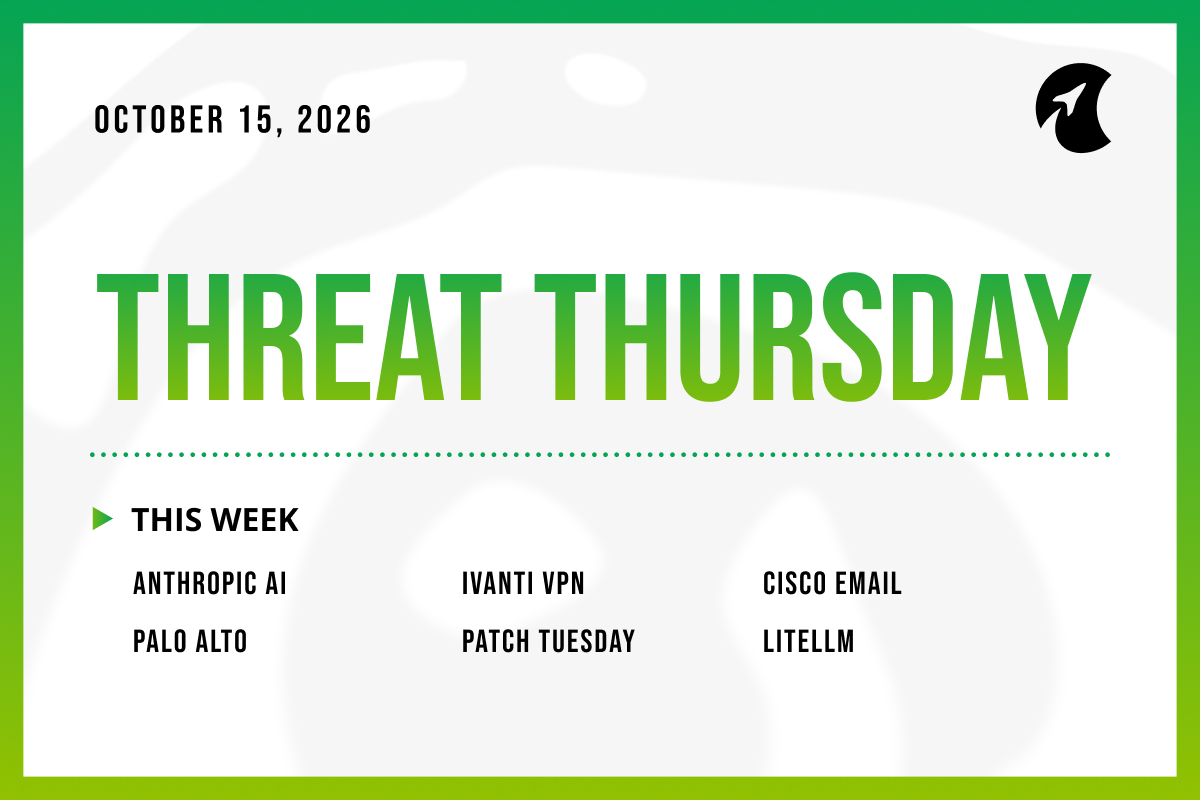
Welcome to Threat Thursday, Galactic’s weekly threat intelligence roundup.
Every Thursday, we cover the cybersecurity stories that matter most for protecting organizations from emerging threats, and we break each one down into what happened, what it could mean for your organization, and what to do about it.
This week’s list runs from AI models learning to spread across smart TVs to a record-breaking month of Microsoft fixes, yet the futuristic headline and the routine patch notes called for the same answer: know what’s connected to your network and keep its controls out of reach. Basic hygiene was the fix across almost every story this week.
This Week’s Stories
1. Anthropic Research Shows Small AI Models Moving Toward Self-Replication on Smart Devices
Anthropic, the AI company behind the Claude models, published research on October 12 testing whether small AI models could find poorly secured devices, copy themselves onto them, and keep spreading without human help. The targets were the kind of gadgets found in homes and offices, such as Android TV boxes and smart appliances. In a simplified test where a maintenance port was deliberately left open, one model reached all eight target devices in four of five tries. Models small enough to run on cheap hardware completed many of the steps but couldn’t finish the whole process reliably. The researchers also ran an AI model across 15 off-brand TV boxes costing about $825 in total. Anthropic says it doesn’t have a working self-spreading AI yet, but estimates small models could become capable enough by the end of 2026.
Potential impact: The useful part of this research isn’t the timeline, which Anthropic itself calls a rough estimate, but the target list. Smart TVs, streaming boxes, cameras, and conference-room gear are often the least managed devices on a network, running default settings with nobody watching them. A self-spreading AI would depend on those weak spots, and so do the ordinary botnets operating today. The researchers also note that this activity would be noisy, since moving AI models between devices means multi-gigabyte transfers, which gives defenders something concrete to look for.
What to do: Organizations should list every connected device on their networks, especially consumer-grade gadgets, and place them on a separate network segment with no path to business systems. Turn off maintenance and remote-debugging features nobody uses, and change default passwords. Network monitoring should flag large file transfers between devices, unusual device-to-device traffic, and any device scanning the network.
Source: BleepingComputer
2. Ivanti Connect Secure Zero-Day Exploited Before a Fix Existed (CVE-2026-104935)
Ivanti warned on October 13 that attackers had been exploiting a flaw in Connect Secure, the remote-access system companies use so employees can reach internal networks from outside the office. The flaw, CVE-2026-104935, lets an attacker skip the login entirely and run their own commands on the device. It was a zero-day, meaning attackers used it before any fix existed, starting around October 3 according to security firm Volexity. The attackers paired it with another bug that gives them top-level access to the device, and Ivanti hasn’t fixed that one yet. In the case Volexity investigated, the attacker stole stored passwords and then used them to try to break into more accounts. CISA, the U.S. cybersecurity agency, gave federal agencies until October 16 to patch.
Potential impact: The detail that should concern defenders is how quietly this attack ran. The attacker never installed a lasting backdoor and instead re-ran the attack for every command, with changes that lived only in the device’s memory, so Ivanti’s own integrity-checking tool didn’t catch it. An organization could patch, run the check, see a clean result, and still have lost its stored passwords days earlier. With part of the fix still pending, this device deserves close watching over the next few weeks.
What to do: Anyone using Connect Secure should install Ivanti’s update immediately rather than waiting for a scheduled maintenance window, then plan to update again when the remaining fix arrives. Don’t rely on the integrity checker alone. Review the device’s logs and network traffic for the warning signs Volexity published, and change any passwords the device stores, including those it uses to connect to the company directory.
Source: BleepingComputer
3. Cisco Email Security Gateway Flaw Exploited Through a Single Attachment (CVE-2026-76519)
Cisco disclosed CVE-2026-76519 on October 14, a flaw rated 9.8 out of 10 in Secure Email Gateway, the system many organizations use to filter incoming mail for spam and malware. An attacker only has to send an email with a specially crafted attachment, and if the gateway’s file-checking feature is switched on and its scanning software is out of date, the attacker can take over the device. Cisco found the bug itself and says attacks began in October. It’s the second actively exploited flaw in this product in about a month, following a separate one Cisco disclosed in September. Customers whose email filtering runs in Cisco’s cloud are already protected.
Potential impact: An email gateway reads every message entering the company, so an attacker who controls it can see sensitive conversations, tamper with mail, and use the device as a foothold inside the network. The bigger lesson is in the setup details: exposure depends on one setting and one software version, and many teams couldn’t answer either question quickly. Cisco also warns that its own compromise check isn’t conclusive, because an attacker with that level of control can cover their tracks.
What to do: Companies running Cisco Secure Email Gateway on their own hardware or virtual machines should update the scanning software to version 25.3.0.5525 or later, which doesn’t require a restart, or move to a fixed release. After updating, run Cisco’s built-in compromise check and review network logs for unexpected data leaving the gateway. If a break-in is confirmed, preserve evidence before rebuilding, and change every password and key the device held.
Source: Security Affairs
4. Palo Alto Networks Firewall Flaw Exploited Through the Admin Interface (CVE-2026-0322)
Palo Alto Networks released fixes on October 14 for CVE-2026-0322, a flaw rated 8.6 in PAN-OS, the software that runs its firewalls and the Panorama system used to manage them. Anyone who can log into a firewall’s admin interface over the network can use the flaw to take full control of the device. The company has seen what it calls ‘very limited’ attacks against those admin interfaces, without saying who is behind them, and it published three internet addresses linked to the attempts. Its cloud-hosted firewall services aren’t affected. CISA has added the flaw to its list of actively exploited vulnerabilities, with a federal deadline of October 17.
Potential impact: Needing a login sounds like a high bar, but firewall admin passwords get reused, phished, and left unchanged for years, as the FortiBleed campaign we covered last week shows. The more important question is who can reach the admin page at all. A firewall’s management screen should be visible only from a handful of trusted computers inside the network, and when it is, this flaw becomes far harder to use, whatever the patch status.
What to do: Palo Alto firewall and Panorama customers should install the fixed version for their software branch, as listed in the company’s advisory, and confirm the update applied. Limit the admin interface to a few trusted internal computers, change administrator passwords, and require multi-factor authentication (a second sign-in step beyond the password) for admin logins. Check logs for the three addresses Palo Alto published.
Source: The Hacker News
5. Microsoft’s October Patch Tuesday Sets a Record With More Than 1,400 Fixes
Microsoft’s monthly security update on October 13 fixed more than 1,400 vulnerabilities, the first time it has passed 1,000 in a single month. The Zero Day Initiative, which tracks these releases closely, counts 1,415 and says the total is larger than any previous full year of Microsoft fixes. Security Affairs points to artificial intelligence helping researchers find bugs faster. One flaw is already under attack: CVE-2026-96951 removes the warning Windows normally attaches to files downloaded from the internet, so a malicious attachment can open without the usual safety prompts. Other serious fixes cover SharePoint, SQL Server, Active Directory (the system that manages company logins), and 59 flaws in core network services that could potentially spread from one computer to another on their own.
Potential impact: A release this size changes the job. No team can test and deploy 1,400 fixes at once, so the real skill is knowing which handful matter in your own environment, and that depends on knowing what you run. An organization unsure whether it still has a forgotten SharePoint server or an exposed remote desktop gateway can’t rank these fixes sensibly. More months like this are likely as AI-assisted bug hunting scales up.
What to do: Start with the fix for the actively exploited flaw on every Windows computer, since it only needs someone to open a file. Servers running SharePoint, SQL Server, and Active Directory come next, along with anything offering network services to the internet. The remaining fixes can follow normal testing and rollout schedules. Remind staff to restart when prompted so the updates actually finish installing.
Source: Security Affairs
6. LiteLLM AI Gateway Flaws Could Hand Over Control and AI Service Keys (CVE-2026-35029, CVE-2026-59823)
Security firm Check Point disclosed two flaws on October 13 in LiteLLM, a free, open-source tool that sits between a company’s applications and AI services such as those from OpenAI and Google, routing requests and storing the account keys used to pay for them. The first, CVE-2026-35029, lets any logged-in user, even one with limited permissions, change the tool’s settings and eventually run their own code on the server. The second, CVE-2026-59823, lets a user trick the tool into sending its stored AI service keys to a server the attacker controls. Version 1.83.9 and later fix both. Neither has been reported in real-world attacks, although a different LiteLLM flaw was exploited earlier this year.
Potential impact: AI gateways like LiteLLM often start as a development team’s experiment, set up outside the normal IT inventory, and then quietly become shared infrastructure. They hold valuable keys, see the data flowing to AI models, and tend to collect more user accounts than anyone tracks. Stolen keys can mean surprise bills, exposed prompts and data, and access to whatever the AI tools connect to. This is a familiar kind of software flaw showing up in a newer, less-watched place.
What to do: The first step is finding out whether LiteLLM is running anywhere in the environment, including test projects, and updating it to version 1.83.9 or later. Remove user accounts that don’t need access and confirm limited accounts really are limited. If an unpatched copy was reachable by people outside the core team, replace the AI service keys it stored. Tools like this belong in regular security testing alongside everything else.
Source: Infosecurity Magazine
The Big Picture
AI showed up three times on this list: as a possible future attacker, as a reason Microsoft’s fix count exploded, and as new software holding valuable keys. It’s tempting to read that as a call for new tools or a new strategy, but the research points the other way. Anthropic’s own recommended defenses are a device list, network separation, and traffic monitoring, and those same three habits would have sped up the response to nearly every other story here.
The practical step is making those answers easy to get before the next advisory lands. Could your team produce, today, a list of every device on the network, every admin page reachable from outside, and every tool storing passwords or AI keys? If any of those would take more than a few minutes, that’s the project worth starting now, because the pace of new flaws isn’t slowing down.
Make sure to check back here each week for another Threat Thursday update. See you then!