
















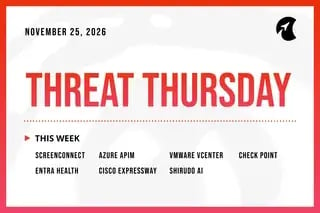
Welcome to Threat Thursday, Galactic’s weekly threat intelligence roundup.
Every Thursday we cover the cybersecurity stories that matter most for protecting organizations from emerging threats, and we break each one down into what happened, what it could mean for your organization, and what to do about it.
Remote support software exists so a technician can reach into a customer’s computer and fix it. This week, attackers posed as customers and used it to reach back into the technician’s computer. The same idea shows up across much of this week’s news, with attackers going after the tools IT teams use to manage firewalls, virtual servers, and the passwords that connect company apps.
This Week’s Stories
01. IT Technicians Targeted Through a Flaw in ScreenConnect Remote Support Software
ScreenConnect is remote support software that IT teams and outsourced IT providers use to connect to the computers they look after. ConnectWise, which makes it, fixed a serious flaw (CVE-2026-84869) in September that lets someone who joins a support session as a guest send a file to the technician’s computer and run it without any warning. Security firm Huntress now reports that attackers have tried this about 688,000 times since October 20, setting up fake sessions on 42 IT providers’ servers and waiting for a technician to join. On November 12, one technician’s computer was taken over in about 9 seconds. The fix has to reach each technician’s own ScreenConnect app, so updating the company’s server alone isn’t enough.
Potential impact: Attackers are turning remote support around: instead of a technician reaching into a customer’s computer, a fake customer reaches back into the technician’s. That machine is about as valuable as it gets, because it usually holds saved passwords, admin tools, and access to every customer the provider supports, so one compromised technician can become a path into many businesses at once. For organizations that rely on an outside IT provider, it’s a fair moment to ask how that provider protects its own staff computers.
What to do: Organizations that use ScreenConnect should update every technician’s app and any Access agents to version 26.6.5 or later, and turn off guest file transfers until that’s done. Remove empty or unexplained sessions that keep requesting files, and remind staff not to join sessions they can’t tie to a real customer. If a technician’s computer shows signs of tampering, disconnect it and change every password it could reach.
Sources: Huntress, The Hacker News
02. Microsoft Fixes Azure Service Flaw After Someone Hunted for Stored Passwords and Keys
Azure API Management is a Microsoft cloud service that sits between an organization’s apps and the outside world, controlling who can connect and storing the passwords and keys that let those apps reach other systems. On November 19, Microsoft closed a gap in the service’s older Classic versions that could let an outsider reach some of its admin functions when an instance wasn’t set up the way Microsoft recommends. Microsoft says stored secrets, sign-in settings, and access keys could have been reached before it found the problem. Norway’s national security agency says an unknown actor actively searched for exactly those secrets at several organizations, including energy company Equinor, though it’s unclear how widespread this was. Newer versions of the service weren’t affected.
Potential impact: A fix on Microsoft’s side closes the door, but it can’t take back anything copied before it closed. A stolen key works until someone changes it, and depending on what it protects, it could open customer data, payment systems, or internal apps without anyone breaking in again. Many organizations also lack a clear list of which secrets live in this service, which slows the cleanup. Microsoft hasn’t said how many customers were exposed.
What to do: Anyone using the Classic versions of Azure API Management should assume anything stored there was exposed and replace it, creating each new password or key at its source first and then retiring the old one. Microsoft has published step-by-step guidance for finding and replacing these secrets. Turn off the older admin access method the service no longer needs, and review activity logs for unfamiliar access.
Sources: The Hacker News, Microsoft guidance
03. Another Serious Flaw Found in VMware’s Control Panel for Virtual Servers
VMware vCenter is the control panel organizations use to run their virtual servers, the software-based machines that host many core business systems. On November 24, Broadcom, which owns VMware, fixed 23 flaws across its products. The most serious, CVE-2026-123903 (rated 9.8 out of 10), lets someone who can reach vCenter on the network skip the login entirely. It arrives just days after a similar but separate vCenter flaw was used by suspected Chinese spies. Broadcom also fixed two equally serious flaws (CVE-2026-123910 and CVE-2026-123911) in ESX, the software running on the physical servers underneath, that could let an attacker run their own code there. No attacks on the new flaws have been reported.
Potential impact: Finding two critical login problems in the same part of vCenter within two weeks suggests researchers, and likely attackers, are studying that component closely. Whoever controls vCenter or ESX can copy, shut down, or lock up every virtual server at once, which is why ransomware gangs prize them. The update work is split this time, too: vCenter itself, the physical servers, and helper software inside each virtual machine each need their own fix, so it’s easy to finish one piece and assume the job is done.
What to do: vCenter owners should install Broadcom’s update (vCenter 9.1.2, 9.0.2.0300, or 8.0 U3m), noting that systems already moved to 8.0 U3m last week are covered for vCenter. ESX servers and the VMware Tools software inside each virtual machine need their own updates. Keep vCenter reachable only from a small set of admin computers, and plan to replace vCenter 7, which no longer gets regular fixes.
Sources: Broadcom advisory, The Hacker News
04. Servers That Run Check Point Firewalls Were Breached at 22 Organizations
Check Point makes firewalls, the security devices that decide what network traffic is allowed in and out, and many companies run those firewalls from a central management server. Security firm GreyNoise reported on November 23 that an attacker it calls GT13 broke into 24 of these management servers belonging to at least 22 organizations in 17 countries, with activity confirmed from mid-October to early November. The attacker copied firewall settings and the security certificates the system uses to trust its own devices, and tried to switch off firewall protections. Along the way, they used a Check Point login flaw that was fixed in July. GreyNoise couldn’t tell how the attacker first got in, and it suspects AI tools handled much of the work, though that isn’t confirmed.
Potential impact: A firewall’s management server is the command center for the whole security setup, so control of it means control over what gets blocked and what gets through. Copied certificates are especially troublesome, because they can let an attacker pose as a trusted part of the network until they’re replaced. GreyNoise believes the attacker may still have access in some places. The AI angle is worth watching, but it doesn’t change the basics: the attacker leaned mostly on known flaws, including a Check Point login bug fixed months earlier.
What to do: Check Point customers should confirm their management servers have the latest updates and that only approved admin computers can connect to them. Ask your IT team or provider to check for the specific warning signs GreyNoise published, including unexpected certificate changes and attempts to turn off firewall rules. If they find signs of access, treat the copied certificates and settings as compromised and work with Check Point on recovery.
Sources: GreyNoise, SecurityWeek
05. A Microsoft Monitoring Service Flaw Exposed Admin Email Addresses for Four Months
Microsoft Entra is the sign-in system behind Microsoft 365, and Entra Connect Health is a service that monitors the in-house servers that keep a company’s user accounts in sync with Microsoft’s cloud. Microsoft began alerting customers on November 20 that a flaw added to the service on July 23 let an outsider read basic account details until Microsoft fixed it on November 19. The exposed details include the email addresses of the people who manage the account, the organization’s account ID and name, its web domains, and its license level. Microsoft says it confirmed someone did read this information, but no passwords, sign-in tokens, or encryption keys were exposed and nothing was changed. The fix was on Microsoft’s side, so there’s nothing to install.
Potential impact: None of this data unlocks anything by itself, but it tells an attacker exactly who to target and what to say. A scam email that names a company’s real account setup and lands in the right administrator’s inbox is far more convincing than a generic one. IT providers that manage many companies are especially exposed, because one administrator’s address can appear across many customers’ accounts. Microsoft hasn’t said how many organizations were affected.
What to do: Administrators should look for Microsoft’s notice by signing in to the Azure portal directly rather than following links in email, and run Microsoft’s read-only script to see which contact details were exposed. Require phishing-resistant sign-in methods, like security keys, for admin accounts, and warn admins to expect convincing scam emails that mention real account details.
Sources: Security Affairs, Field Effect
06. Cisco Video Calling Gateway Flaw Fixed in October Is Now Under Attack
Cisco Expressway is a gateway that lets people outside the office join a company’s video calls, phone system, and messaging. Cisco fixed a critical flaw (CVE-2026-76466, rated 9.8 out of 10) on October 21 that affects Expressway systems set up as a group of linked devices, which is common in larger deployments, and it lets an outsider take complete control without logging in. On November 18, security firm F6 reported the first known attack: intruders took over two internet-facing devices, used one to reach two more inside the network, and began searching the company’s file shares, databases, and code storage for passwords. The U.S. Cybersecurity and Infrastructure Security Agency (CISA) added the flaw to its list of actively exploited vulnerabilities on November 20.
Potential impact: Gateways like this sit at the edge of the network on purpose so they can be reached from the internet, and systems inside the network trust them, which makes them a natural stepping stone. The attack came about four weeks after the fix was released, and video and phone systems often sit outside the regular update routine, so a month can pass without anyone getting to them. With attack code reportedly public, systems that haven’t been updated are the obvious next targets.
What to do: Teams running Expressway should upgrade to version X15.5.20, and those still on version X14 or older need to move to a supported version, since no fix is coming for it. Until the upgrade is done, limit network access so only the other devices in the group can reach the affected service. Single, unlinked devices aren’t affected by this flaw, but the same update fixes other problems that apply to every Expressway.
Source: Infosecurity Magazine
One to Watch
▶ OpenAI and Cisco Release a Free AI Tool to Block Attacks Before Patching
OpenAI and Cisco released Shirudo, a free, open-source tool for Linux servers, on November 23. When a new flaw is announced, AI agents test how the attack works and then build a small, temporary safeguard called a shield that blocks that specific attack on a running system, without a restart. A person has to approve each shield before it goes live, and it’s removed once the real fix is installed. In OpenAI’s one published test, an AI-built shield stopped an attack on the Java flaw we covered last week.
Why it matters: Attackers are moving from announcement to attack faster, and many systems can’t be updated or restarted on short notice. A tool that buys safe time between the two could change how organizations handle urgent fixes.
What to watch: It’s early: the tool works only on Linux, there’s a single public test, and a shield is a stopgap rather than a fix. Watch for wider test results and whether security vendors build the approach into products businesses already use.
Sources: OpenAI, The Hacker News
The Big Picture
The tools in this week’s stories work a lot like a master key. Whoever holds one can open every door it was cut for, so a single break-in can spread to everything that tool manages.
That’s a good reason to handle them more carefully than everyday computers. Fewer people and fewer machines should be able to reach them, and the computers used to manage them are safer when they aren’t also used for email and web browsing. If an outside IT provider runs these tools for you, it’s fair to ask how they protect that key on their end.
Make sure to check back here each week for another Threat Thursday update. See you then!