
















One chatbot question, ten hidden tool calls, and why an agent inventory has to come before logging
Langfuse is a company that builds software for tracking what AI applications do, and it keeps a public demo where you can open real conversations with its own documentation chatbot. I opened one from late July, in a chatbot I've never worked on. Someone had asked, "What can I use Langfuse for?"
In the conversation list, that exchange is a single line. A question came in, and about twenty-seven seconds later an answer went out. Every action in it was permitted, so a security analyst scrolling past would read the line and move on to the next ticket.
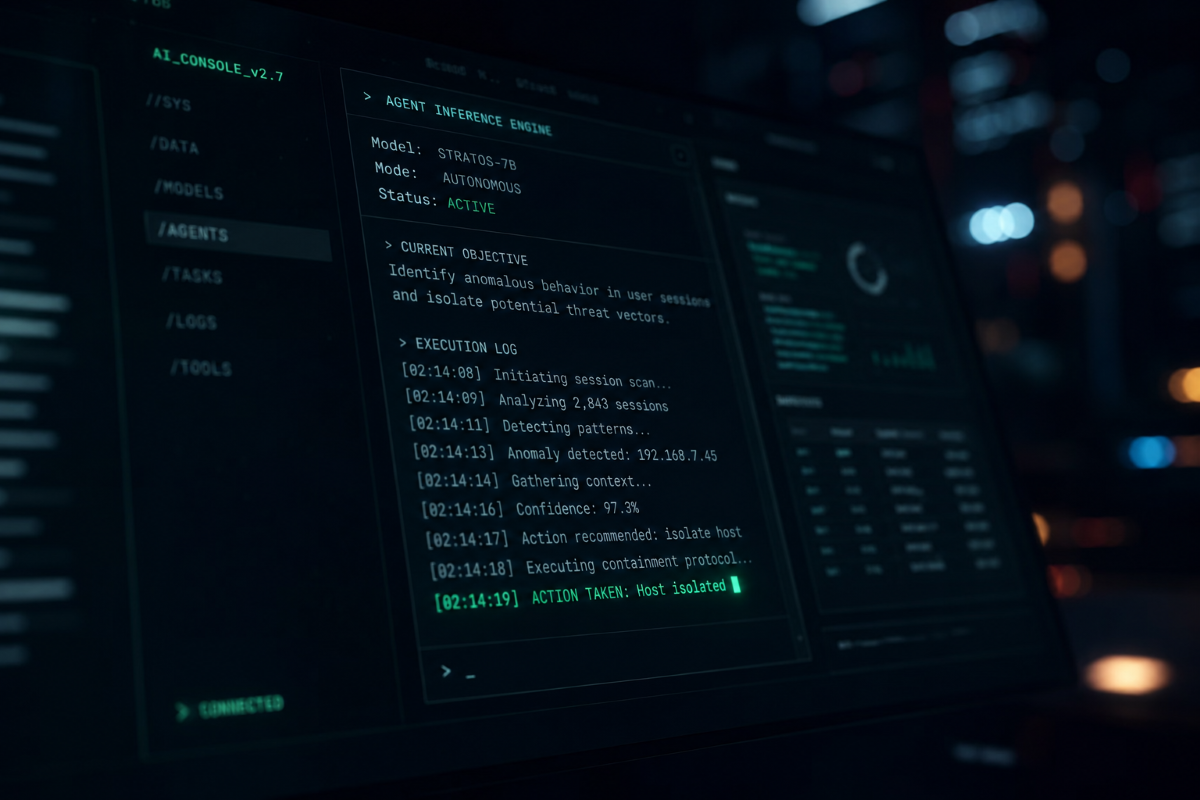
Then I expanded it. Between the question and the answer, the chatbot had asked its AI model ten separate questions and looked things up ten separate times. It pulled a product overview, then decided on its own which documentation pages to read and read nine of them, one after another. The person asking never named a page. At one point it chose /docs/observability/overview by itself, mid-run, and went and got it. The original line shows no trace of any of that, and everything it did say was accurate.
A chatbot that picks its own next step and uses other systems along the way is what the industry calls an AI agent, meaning an assistant that takes actions for you, such as looking things up, opening files, and using other software. This piece covers how to find the agents in your organization and see what they're doing.
What One Log Line Leaves Out
That conversation was harmless, and it still shows where a problem would hide if there were one.
Last month I wrote about getting an AI assistant to leak its user's data through a weather add-on's description. The assistant answered the weather question correctly and, in the same request, sent the user's email address to the weather add-on, which had no use for it. In a log like the Langfuse line, that exchange reads as a user asking about the weather and getting a forecast. That's accurate, and it leaves out the part that mattered.
Think of a log as a visitor sign-in sheet. It records that somebody came in and left twenty-seven seconds later, and it can't say which rooms they walked into. A sign-in sheet is often enough for ordinary software. With an agent, everything it did was permitted, so an investigation turns on what it was reading when it decided to act and what it did along the way.
An agent's work branches. It asks the AI a question, uses another system, asks again, and uses another. A log that records one line per request has nowhere to put those branches. The OpenTelemetry project is drafting a shared way to record them, still marked as in development, and the logging tools that follow it capture the start of a run, the end, and in the best cases each step between. The steps in between tend to go uncollected, and they're where an attack would sit.
What the Shadow AI Numbers Measure
Recording an agent's steps starts with knowing the agent exists. Shadow AI means workers using AI tools the company never approved, and IBM's Cost of a Data Breach Report 2026 found that 43% of the 602 organizations it studied, all breached between March 2025 and February 2026, reported a shadow AI incident. A year earlier the figure was 20%. Breaches involving shadow AI averaged $5.39 million, up from $4.63 million the year before.
It's tempting to read that as people getting careless. I read it as AI spreading faster than organizations can list it, so a figure that doubles in a year says more about the paperwork than about the tools.
The same report found that 68% of the breached organizations lacked rules for how AI gets used, and that 92% of those with an AI-related breach lacked proper limits on what their AI systems could reach. You can't set limits on something that isn't on a list.
Four Ways AI Agents Arrive Without a Purchase Order
Agents rarely come in through the purchasing process, and four routes explain much of why a count falls short. In the first, a department turns one on. Somebody in finance connects an assistant to the accounting software and, from where they sit, has switched on a feature. In the second, an employee with no technical background uses a drag-and-drop tool to build an automation that connects to company systems, and nothing about it looks like software development, so IT never reviews it. The third happens when a software vendor adds an assistant to a product you already pay for, so the list of products looks the same while the risk has grown. The fourth is somebody's own laptop, where an agent runs with their access and doesn't appear on any list of company software, because it never went through the company's channels.
Counts tend to cover the AI models themselves and miss everything connected to them, such as the apps, add-ons, and local programs that were never registered, each of which is a place where instructions can get in or data can get out. The list you can produce usually runs shorter than what's running.
What Microsoft Agent 365 Covers and What It Costs
Microsoft Agent 365 became generally available on May 1, 2026. It's a management console for AI agents that lists them, gives each one its own login identity in Microsoft's identity system (Entra), and extends Microsoft's existing data protection and security tools to cover them. Microsoft has also started rolling out a view that lists the agents across all the Microsoft 365 environments you administer, with the ability to review and block them. That part is in public preview, so it can change.
When I checked Microsoft's price list in late September, Agent 365 was $15 per user per month on an annual commitment. The price attaches to users, so an organization with two hundred staff and three agents pays for two hundred seats, which is a lot of licensing to keep an eye on three things. The cost follows headcount and the risk follows agents, which makes it a poor fit for a large organization running a few of them.
Three Checks, in Order
Seeing what your agents do comes down to three checks, and each depends on the one before it.
The first is a list. Ask for every AI agent running in the organization, with an owner's name next to each one and a note on what it can reach, and use the four routes above as a search plan. The list also tells you whether a per-seat license pays off, and the next two checks depend on it, since both apply to individual agents.
The second is a record of the steps. Ask whether the logs capture each system the agent used along the way or only the final answer, and aim for the whole chain: what the agent sent, the instructions and information it was working from, the permissions it held at the time, and anything that failed or got overridden. Store a fingerprint of sensitive data in those logs, which lets you verify it later without keeping a copy, so the logging system doesn't become a second store of the same information. A security checklist from the OWASP community also recommends tying each record to one specific agent, because "an agent did this" isn't evidence until you can say which one.
The third is a warning. Ask what happens when an agent behaves out of character, and whether a person sees it. That takes a definition of normal for each agent, so something can flag ten thousand records pulled for a task that needs three, five requests a minute turning into five hundred, a combination of actions the agent has never taken before, or heavy activity at three in the morning. Put a name against each alert, because an alert in a queue with no owner is a log entry with extra steps.
What to Ask When Someone Says "We Have Logging"
A common answer when you raise this with an organization running agents is "we have logging." They're right, and arguing with it loses the room, so agree and then separate what that sentence covers. Their logs record what the system did and leave out what the agent was working from and the steps it took to get there.
Then ask them to show you every system the agent used last Tuesday, and why it used each one. If the answer is a screen, they're further along than many. If the answer is "we'd have to look into that," the problem has introduced itself.
Many organizations couldn't answer that question today, which says more about how young the tooling is than about the people running it. So start small, with one part of the organization and a count. The first number will be wrong, because somebody will mention an agent that isn't on it, usually in the meeting where you present the list, and that's useful, since the first count shows you what you can't see yet.
The Langfuse line looked complete until somebody expanded it, and a count is how you find out which lines to expand.